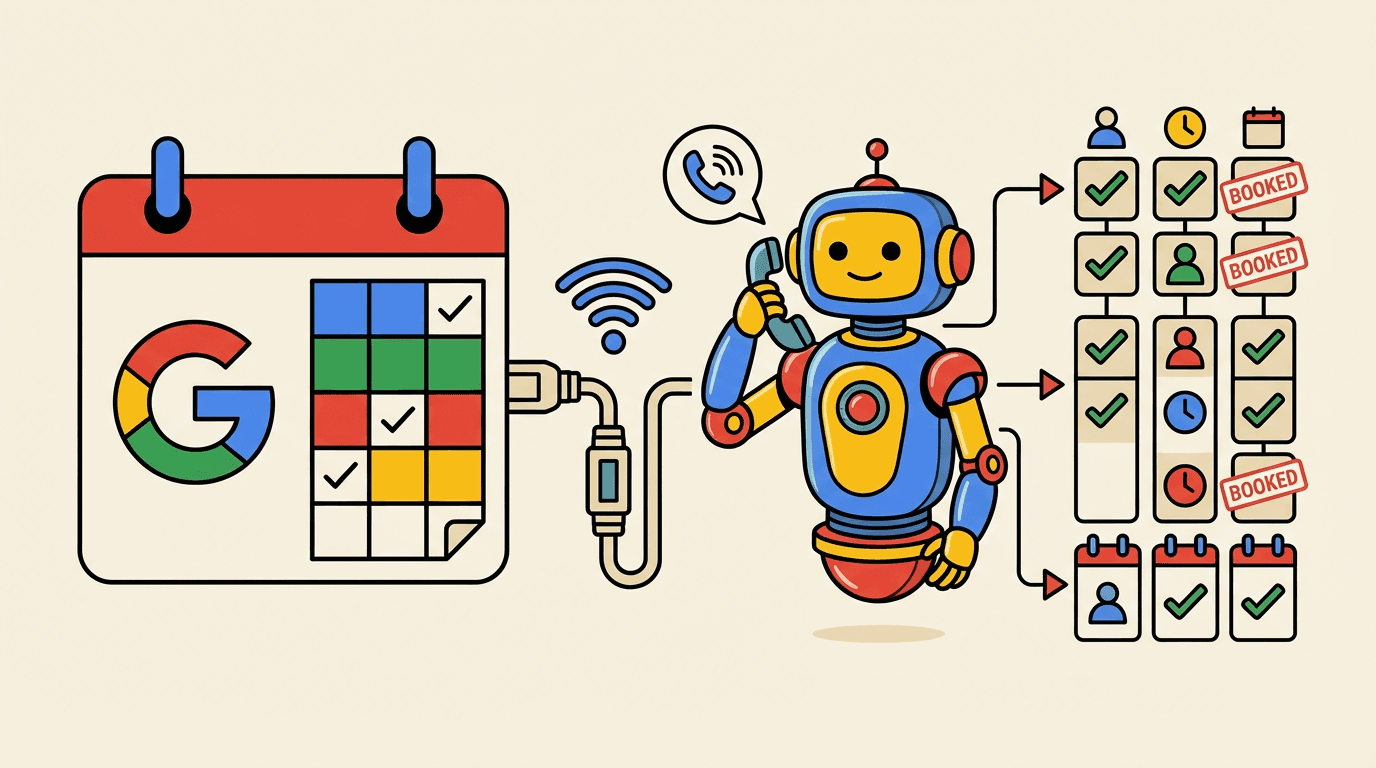
Google Calendar + AI Appointment Setting: Book Meetings Automatically
How to connect Google Calendar with AI-powered calling and book appointments directly from the call – no manual back-and-forth required.
Google Calendar is the central place for meetings and availability in many companies. Connecting it with AI-powered calling turns scheduling into a seamless process: the AI calls, qualifies – and books the appointment directly into your calendar. No copy & paste, no double bookings.
Why Google Calendar + AI Work So Well Together
Most sales teams already use Google Calendar for internal meetings and customer calls. Yet appointment scheduling often still happens manually:
- SDR has the conversation and notes interest
- SDR checks their calendar (or emails the lead for availability)
- Email with 2–3 time options to the lead
- Lead replies – or doesn’t
- If they reply: Manual calendar entry + invitation
With AI and Google Calendar integration, it becomes:
- AI has the conversation and detects interest
- AI queries the Google Calendar API for free slots
- AI suggests suitable times to the lead
- Lead chooses – AI creates the event and sends the invitation
- Both parties get confirmation in the same moment
The whole flow happens during the call. No follow-up loop, no forgotten scheduling emails.
How the Technical Connection Works
OAuth 2.0 and Calendar Access
The connection uses the official Google Calendar API with OAuth 2.0:
- One-time authorization: You connect your Google account in PowerSetter.ai settings
- Secure access: Only the permissions needed for booking (read calendar, create events) are requested
- No passwords: The connection uses tokens that you can revoke at any time
Which Calendars Are Used
You can select one or more Google calendars:
- Primary calendar for all booked appointments
- Optional: A separate calendar for sales-only meetings to keep them distinct from internal ones
- Availability: The AI only offers times that are free in the selected calendars – blocked slots are never suggested
Real-Time Availability Check
During the call, the AI checks your free slots in real time:
- Time window (e.g. “next 14 days”, “mornings only”)
- Minimum meeting length (e.g. 30 minutes)
- Buffer between meetings if desired
The lead only sees actually available options – no double bookings, no back-and-forth.
Best Practices for AI Appointment Setting with Google Calendar
Define Clear Time Windows
In PowerSetter.ai, set the range in which appointments can be offered:
- Time span: e.g. only the next 7 or 14 days
- Time of day: e.g. Mon–Fri 9am–5pm, no evening slots
- Minimum duration: e.g. 30 minutes for demos, 15 for short calls
That way you avoid bookings at times that don’t work for you.
Invitations and Reminders
The Google Calendar integration automatically handles:
- Calendar invitation to the lead (with your contact details and optional meeting link)
- Reminders (e.g. 24 hours and 10 minutes before)
- Sync across devices – you and the lead see the event immediately
You can optionally add a video meeting link (e.g. Google Meet) to the invitation.
Accounting for Multiple Calendars
If you use other calendars (e.g. Outlook for personal appointments), you can add them in Google Calendar as “other calendars”. The API then sees blocked times from all linked calendars and only offers real gaps.
Typical Use Cases
Inbound Leads
Lead submits a form → AI calls within minutes → Qualification in the conversation → If interested: appointment is booked straight into Google Calendar, lead gets the invite. No manual step.
Outbound Campaigns
AI calls through your lead list → On a positive response, it suggests times from your calendar → Lead picks one → Booking and invitation happen automatically. Your calendar fills without you opening it between calls.
Re-Booking After Cancellation
A meeting is cancelled or rescheduled. Instead of manually re-scheduling, a rule can trigger the AI to call the contact and book a new slot from your next available times.
Privacy and Security
- Access: PowerSetter.ai only stores what’s needed for booking (times, invitations). No permanent copy of your full calendar.
- Revocation: You can disconnect the Google connection anytime in settings; existing events stay in your calendar.
- Compliance: Processing follows Google API terms and privacy requirements.
Conclusion
Combining Google Calendar with AI appointment setting removes the manual link between call and calendar. Appointments are created in the conversation, written to the calendar immediately, and both sides have the same information – without email ping-pong or double bookings.
PowerSetter.ai brings Google Calendar and AI calling together in one place. Connect once, configure the conversation flow – then the AI handles the call and the booking. That leaves more time for what matters: the conversation and closing the deal.
Ready for AI-Powered Outbound Calls?
Start for free and automate your cold outreach with PowerSetter.ai.
Get Started FreeRelated Articles
HubSpot + AI Calling: The Ultimate CRM Integration Guide
Learn how to connect HubSpot with AI-powered calling to automate your sales process from lead capture to booked appointment.

Appointment Setting and Sales Automation: The Complete Stack for 2026
How to combine AI appointment setting with full sales automation – from lead capture to closed deal. The complete guide for B2B teams looking to scale without hiring.
Automated Appointment Setting: How AI Books Meetings Without Human SDRs
Learn how to automate your entire appointment setting process with AI – from first contact to confirmed calendar invite. Cut costs, increase speed, and scale without hiring.